
Resize PDF API & SDK
Programmatic Document Dimension Control
Powerful Document Dimension Control at Your Fingertips
The Resize PDF API provides developers with programmatic control over PDF document dimensions, enabling precise adjustments to meet specific output requirements. This API is built for development teams who need to integrate robust PDF resizing capabilities into their applications, workflows, or document management systems.
Whether you're building document processing pipelines, creating publishing platforms, or developing enterprise document management solutions, our API offers the technical foundation to implement custom PDF resizing with minimal code. The API maintains document clarity and formatting integrity while allowing granular control over dimensions, margins, and page selection.
Unlike general-purpose PDF libraries that require extensive configuration or cloud-based solutions with limited customization options, our Resize PDF API delivers a focused, high-performance solution for document dimension manipulation with predictable results across all document types.
Technical Features and Capabilities
Precision Dimension Control
Set exact document dimensions with decimal-point precision from 0.1 to 200 inches for both width and height. The API defaults to standard A4 dimensions (8.3 × 11.7 inches) but accepts custom values to accommodate any output requirement. This flexibility allows for resizing documents to match specific printer requirements, digital display formats, or standardized document templates.
width: number($float)
The width in inches. Value range: 0.1-200 inches. Default: 8.3 inches

height: number($float)
The height in inches. Value range: 0.1-200 inches. Default: 11.7 inches
Selective
Page Processing
Process specific pages within multi-page documents by defining exact page ranges and individual pages. The API supports comma-separated page numbers and hyphenated ranges (e.g., "1,3,5-7"), giving you precise control over which pages to resize. This targeted approach is particularly valuable when working with documents where only certain sections require dimension adjustments.
pages: string
Format examples:"1,3,5"or"1-3,7"or"1,3-5,7-9"

Pages appear in ascending order in the output regardless of input order
Password-Protected Document Support
Seamlessly process secured PDFs by providing the document password as a parameter. This feature eliminates workflow interruptions when handling protected documents and maintains security protocols throughout the processing pipeline. The API handles authentication transparently, allowing your application to maintain continuous document processing.
password: string
The password to open the protected PDF file
Asynchronous Processing Architecture
The API implements an asynchronous processing model, returning an operation ID immediately while processing continues in the background. This architecture prevents blocking operations and enables efficient handling of larger documents. Monitor operation status through the /operation/v1/{operationId}/status endpoint to determine when processing is complete.
{
"id":"3fa85f64-5717-4562-b3fc-2c963f66afa6"
}
Implementation Guide
RESTful API Integration
The Resize PDF API follows RESTful principles with a straightforward endpoint structure:
The API accepts multipart/form-data with the following parameters:
file: The PDF file to resize (binary, max 10MB)
password: Optional password for protected documents
pages: Optional page selection (e.g., "1,3,5-7")
width: Optional width in inches (0.1-200, default 8.3)
height: Optional height in inches (0.1-200, default 11.7)
Response codes provide clear status information:
202: Success, returns operation ID
400: Invalid request parameters
401: Authentication failure
413: File exceeds size limit
SDK Implementation
For developers who prefer direct library integration over API calls, our SDK provides the same functionality with native language bindings. The SDK offers additional benefits including:
- Reduced network overhead for high-volume processing
- Progress monitoring for long-running operations
- Simplified error handling and retry logic
- Consistent cross-platform behavior
- Automatic parameter validation
Did You Know?
Margins aren't a modern invention. Even our ancestors used margins to help them format their text! Margins were first used in ancient Egyptian papyrus scrolls. Because scrolls were unrolled horizontally, columns of text were separated by margins to indicate to the reader when to move down to the next line.
Technical Advantages
SDK vs. SaaS Comparison
Complementary PDF Capabilities
PDF Compression
Combine resizing with compression to further reduce file size while maintaining document quality. Our compression tools intelligently reduce PDF file size by optimizing internal structures, removing redundancies, and applying content-aware compression algorithms. This combination is particularly effective for preparing documents for web distribution or email transmission.

Format Conversion
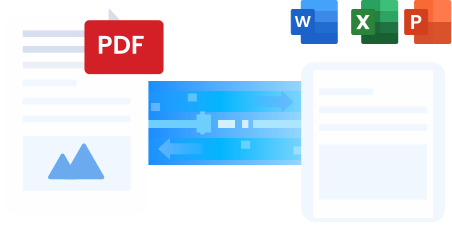
Transform documents between PDF and other formats as part of your document workflow. Our conversion tools support bidirectional transformation between PDF and Microsoft Office formats (Word, Excel, PowerPoint) as well as common image formats. This capability enables comprehensive document processing pipelines that can accept multiple input formats and produce standardized output.
Frequently Asked Questions
How do I change my PDF dimensions?
After uploading your PDF through the API, specify the new dimensions using the width and height parameters (in inches). The API will resize the document according to these specifications while maintaining content quality and formatting.
How can I reduce the size of a PDF while maintaining high quality?
The Resize PDF API adapts your PDF dimensions while preserving the quality of images, fonts, and other content. For file size reduction, combine dimension adjustment with our PDF Compress API, which reduces the actual file size through content-aware compression techniques.
How secure is it to resize PDF files through the API?
We prioritize document security throughout the processing pipeline. All files are processed in isolated environments, transmitted using secure protocols, and automatically removed after processing. For maximum security, consider the SDK deployment option, which keeps all documents within your infrastructure.
Size and daily usage limitations may apply based on your service tier.