PNG to PDF API & SDK
Convert Images Programmatically with Precision
Transform Your Image Processing Workflow
The PNG to PDF API and SDK provide developers with robust tools to convert PNG images into high-quality PDF documents programmatically. Built for software teams that need reliable image-to-PDF conversion capabilities, this solution maintains original image quality while offering flexible implementation options.
Whether you're building desktop applications, automating document workflows, or integrating document conversion into your web services, our PNG to PDF conversion technology handles the complexity of image processing. The API and SDK support multiple image formats beyond PNG, including JPG, BMP, and GIF, with a straightforward implementation path that reduces development time and technical overhead.
For development teams struggling with limited PDF libraries or complex format conversions, our solution offers a dedicated pathway to high-performance image-to-PDF transformation with minimal memory usage and maximum reliability.
Key Features & Technical Capabilities
RESTful API for Seamless Integration
The PNG to PDF conversion is accessible through a straightforward REST API endpoint. The implementation requires a simple POST request to /img-to-pdf/v1 with the image file in the request body. This architecture allows for quick integration into existing applications without complex dependencies.
POST/img-to-pdf/v1
Content-Type:multipart/form-data

[binaryimagedata]

The API returns a JSON response with an operation ID that can be used to check conversion status, making it ideal for asynchronous processing workflows and batch operations.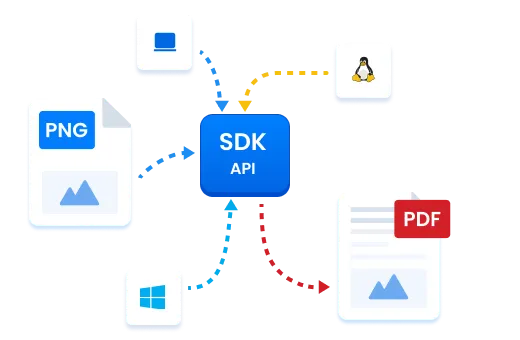
Comprehensive Format Support
While specializing in PNG to PDF conversion, the API and SDK support multiple image formats:
- JPEG/JPG
- PNG
- BMP
- TIFF
- GIF
This broad format support eliminates the need for pre-processing or format conversion before PDF generation, simplifying your application architecture and reducing potential points of failure.
Response Codes and Error Handling
The API uses standard HTTP status codes to indicate operation status:
- 202
Accepted - conversion initiated successfully
- 401
Unauthorized - authentication failure
- 400
Invalid request - typically indicates unsupported file format or invalid parameters
- 413
Payload too large - image exceeds the 10MB size limit
Implementing proper error handling based on these response codes ensures robust application behavior even when conversion challenges occur.
Implementation Guide
Getting Started
To implement PNG to PDF conversion in your application:
Register for API access credentials
Implement the authentication flow
Make a POST request to the /img-to-pdf/v1 endpoint with your PNG file
Use the returned operation ID to track conversion progress
Install the SDK package through your preferred package manager
Initialize the conversion component with your license key
Call the conversion method with your PNG file path or binary data
Receive the converted PDF directly in your application
Each approach offers a straightforward path to adding PNG to PDF capabilities to your application with minimal development effort.
Technical FAQ
How does the API handle large PNG files?
The API supports PNG files up to 10MB in size. For larger files, we recommend either compressing the PNG first (which won't affect quality due to PNG's lossless nature) or splitting the image into multiple smaller files for separate conversion and subsequent merging.
Does converting PNG to PDF affect image quality?
No. PNG is a lossless format, and our conversion process maintains the original image quality in the resulting PDF. The conversion doesn't apply additional compression that would degrade image quality. All visual characteristics including colors, resolution, and detail remain identical to the source PNG.
Can I convert multiple PNG files in a single operation?
Yes. The API and SDK support batch processing for multiple PNG files. You can either convert multiple images into separate PDFs or merge them into a single multi-page PDF document, depending on your implementation approach.
What are the advantages of converting PNG to PDF?
Converting PNG to PDF provides several technical benefits:
- Universal document format compatible with all platforms
- Ability to combine multiple images into a single document
- Consistent viewing experience across devices
- Support for additional features like document security
- Reduced file size compared to multiple individual PNG files
- Preservation of image quality with efficient storage
Are there any usage limitations?
The API has the following technical limitations:
- Maximum image size: 10MB
- Supported image formats: JPEG, JPG, BMP, PNG, GIF
- Daily usage quotas based on your service tier
- Rate limiting for high-volume requests
Start Implementing PNG to PDF Conversion Today

Access Developer Documentation
Get comprehensive implementation guides, code samples, and API references to start building PNG to PDF conversion into your applications.Request API Access
Sign up for API credentials and begin testing the PNG to PDF conversion capabilities with your own image files.Download SDK
Install our SDK directly into your development environment for the fastest path to implementation.