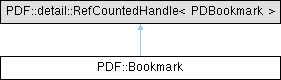
Represents a bookmark/outline item in a PDF document. More...
#include <pdfsdk/cxx/bookmark.h>
Public Member Functions | |
| Object | GetPdfObject () const |
| Get the PDF object associated with this bookmark. | |
| Bookmark | GetParent () const |
| Bookmark | GetPrev () const |
| Bookmark | GetNext () const |
| Bookmark | GetFirstChild () const |
| Bookmark | GetLastChild () const |
| void | Remove () |
| void | InsertNext (Bookmark next) |
| void | InsertChild (Bookmark child) |
| Bookmark | CreateNext (const std::wstring &title) |
| Bookmark | CreateNext (const std::wstring &title, const Dest &dest) |
| Bookmark | CreateNext (const std::wstring &title, const Action &actions) |
| Bookmark | CreateChild (const std::wstring &title) |
| Bookmark | CreateChild (const std::wstring &title, const Dest &dest) |
| Bookmark | CreateChild (const std::wstring &title, const Action &actions) |
| int | GetVisibleChildrenCount () const |
| void | Expand () |
| void | Collapse () |
| bool | IsExpanded () const |
| void | SetTitle (const std::wstring &title) |
| std::wstring | GetTitle () const |
| void | SetTextColor (PDColorValue color) |
| PDColorValue | GetTextColor () const |
| void | SetTextStyle (PDBookmarkFlags flags) |
| PDBookmarkFlags | GetTextStyle () const |
| void | SetActions (Action actions) |
| Action | GetActions () const |
| void | SetDest (Dest dest) |
| Dest | GetDest () const |
| Bookmark (PDBookmark handle, bool adopt=false) noexcept | |
| Bookmark (const Bookmark &rhs) noexcept | |
| Bookmark & | operator= (const Bookmark &rhs) noexcept |
| Bookmark (Bookmark &&rhs) noexcept | |
| Bookmark & | operator= (Bookmark &&rhs) noexcept |
Detailed Description
Represents a bookmark/outline item in a PDF document.
A document outline allows a user to navigate interactively from one part of a document to another. The outline consists of a tree-structured heirarchy of outline items or bookmarks. They serve as visual table of contents displaying the documents' structure to the user. The root of an outline's heirarchy is an outline dictionary. Each individual outline item within the heirarchy is defined by an outline item dictionary.
For more information refer to section 12.3.3 Document outline, from the ISO 32000-2:2020 (PDF 2.0) Standard.
Member Function Documentation
◆ Collapse()
| void PDF::Bookmark::Collapse | ( | ) |
Collapse this bookmark.
◆ CreateChild() [1/3]
| Bookmark PDF::Bookmark::CreateChild | ( | const std::wstring & | title | ) |
Create a new child bookmark of this bookmark with the specified title.
- Parameters
-
[in] title A reference to the title of the new bookmark in wide character string format.
- Returns
- The newly created child bookmark.
◆ CreateChild() [2/3]
| Bookmark PDF::Bookmark::CreateChild | ( | const std::wstring & | title, |
| const Action & | actions ) |
Create a new child bookmark of this bookmark with the specified title and actions to perform.
- Parameters
-
[in] title A reference to the title of the new bookmark in wide character string format. [in] actions A reference to the actions the new bookmark should perform.
- Returns
- The newly created bookmark.
◆ CreateChild() [3/3]
| Bookmark PDF::Bookmark::CreateChild | ( | const std::wstring & | title, |
| const Dest & | dest ) |
Create a new child bookmark of this bookmark with the specified title and destination.
- Parameters
-
[in] title A reference to the title of the new bookmark in wide character string format. [in] dest A reference to the destination the new bookmark should display.
- Returns
- The newly created bookmark.
◆ CreateNext() [1/3]
| Bookmark PDF::Bookmark::CreateNext | ( | const std::wstring & | title | ) |
Create a new bookmark after this bookmark with the specified title and at the same outline level.
- Parameters
-
[in] title A reference to the title of the new bookmark in wide character string format.
- Returns
- The newly created bookmark.
◆ CreateNext() [2/3]
| Bookmark PDF::Bookmark::CreateNext | ( | const std::wstring & | title, |
| const Action & | actions ) |
Create a new bookmark at the same outline level after this bookmark with the specified title and action to be performed when activated (clicked on).
- Parameters
-
[in] title A reference to the title of the new bookmark in wide character string format. [in] actions A reference to the actions of new bookmark should perform.
- Returns
- The newly created bookmark.
◆ CreateNext() [3/3]
| Bookmark PDF::Bookmark::CreateNext | ( | const std::wstring & | title, |
| const Dest & | dest ) |
Create a new bookmark at the same outline level after this bookmark with the specified title and destination to display when activated (clicked on).
- Parameters
-
[in] title A reference to the title of the new bookmark in wide character string format. [in] dest A reference to the destination the new bookmark should display.
- Returns
- The newly created bookmark.
◆ Expand()
| void PDF::Bookmark::Expand | ( | ) |
Expand this bookmark.
◆ GetActions()
| Action PDF::Bookmark::GetActions | ( | ) | const |
Get the actions this bookmark performs when activated (clicked on).
- Returns
- The actions this bookmark is set to perform.
◆ GetDest()
| Dest PDF::Bookmark::GetDest | ( | ) | const |
Get the destination this bookmark is set to display.
- Returns
- The destination to display.
◆ GetFirstChild()
| Bookmark PDF::Bookmark::GetFirstChild | ( | ) | const |
Get the first child bookmark of this bookmark.
This is the First entry in an outline item dictionary.
- Returns
- The first child bookmark.
◆ GetLastChild()
| Bookmark PDF::Bookmark::GetLastChild | ( | ) | const |
Get the last child bookmark of this bookmark.
This is the Last entry in an outline item dictionary.
- Returns
- The last child bookmark.
◆ GetNext()
| Bookmark PDF::Bookmark::GetNext | ( | ) | const |
Get the next bookmark at the same level as this bookmark.
This is the Next entry in an outline item dictionary.
- Returns
- The next bookmark.
◆ GetParent()
| Bookmark PDF::Bookmark::GetParent | ( | ) | const |
Get the parent bookmark of this bookmark.
This is the Parent entry in an outline item dictionary. The parent of a top-level item is the outline dictionary.
- Returns
- The parent bookmark.
◆ GetPdfObject()
| Object PDF::Bookmark::GetPdfObject | ( | ) | const |
Get the PDF object associated with this bookmark.
- Returns
- The PDF object.
◆ GetPrev()
| Bookmark PDF::Bookmark::GetPrev | ( | ) | const |
Get the previous bookmark at the same level as this bookmark.
This is the Prev entry in an outline item dictionary.
- Returns
- The previous bookmark.
◆ GetTextColor()
| PDColorValue PDF::Bookmark::GetTextColor | ( | ) | const |
Get the text color of this bookmark.
- Returns
- The text color.
◆ GetTextStyle()
| PDBookmarkFlags PDF::Bookmark::GetTextStyle | ( | ) | const |
Get the style of this bookmark such as the italicizing and/or bolding of its text. This is the F entry from the outline items dictionary.
- Returns
- The text style flags.
◆ GetTitle()
| std::wstring PDF::Bookmark::GetTitle | ( | ) | const |
Get the title of this bookmark.
- Returns
- The title in wide character string format.
◆ GetVisibleChildrenCount()
| int PDF::Bookmark::GetVisibleChildrenCount | ( | ) | const |
Get the number of visible children of this bookmark.
This is the Count entry from the outline items dictionary.
- Returns
- The number of visible children.
◆ InsertChild()
| void PDF::Bookmark::InsertChild | ( | Bookmark | child | ) |
Insert the specified bookmark as a first child of this bookmark, and therefore at the next outline level.
- Parameters
-
[in] child The bookmark to insert.
◆ InsertNext()
| void PDF::Bookmark::InsertNext | ( | Bookmark | next | ) |
Insert the specified bookmark after this bookmark, but at the same outline level.
- Parameters
-
[in] next The bookmark to insert.
◆ IsExpanded()
| bool PDF::Bookmark::IsExpanded | ( | ) | const |
Check if this bookmark is expanded.
- Returns
- True if the bookmark is expanded, false otherwise.
◆ Remove()
| void PDF::Bookmark::Remove | ( | ) |
Remove this bookmark from its parent.
◆ SetActions()
| void PDF::Bookmark::SetActions | ( | Action | actions | ) |
Set the actions to be performed when this bookmark is activated (clicked on). This is the A entry from the outline items dictionary.
- Parameters
-
[in] actions The new actions to be performed.
◆ SetDest()
| void PDF::Bookmark::SetDest | ( | Dest | dest | ) |
Set the destination this bookmark should display.
- Parameters
-
[in] dest The new destination to be displayed.
◆ SetTextColor()
| void PDF::Bookmark::SetTextColor | ( | PDColorValue | color | ) |
Set the text color of this bookmark. This is the C entry from the outline items dictionary.
- Parameters
-
[in] color The new text color.
◆ SetTextStyle()
| void PDF::Bookmark::SetTextStyle | ( | PDBookmarkFlags | flags | ) |
Set the style of this bookmark such as italicize and/or bold its text. This is the F entry from the outline items dictionary.
- Parameters
-
[in] flags The new text style flags.
◆ SetTitle()
| void PDF::Bookmark::SetTitle | ( | const std::wstring & | title | ) |
Set the title of this bookmark.
- Parameters
-
[in] title A reference to the new title in wide character string format.
The documentation for this class was generated from the following file:
- include/pdfsdk/cxx/bookmark.h