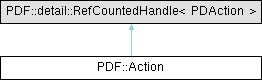
Represents an action in a PDF document. More...
#include <pdfsdk/cxx/action.h>
Public Member Functions | |
| Object | GetPdfObject () const |
| bool | Equals (const Action &that) const |
| PDAtom | GetActionType () const |
| void | SetNext (const Action &next) |
| void | SetNextArray (const std::vector< Action > &next) |
| size_t | GetNextLength () const |
| Action | GetNext (size_t index) |
| Dest | GetGoToDest () const |
| void | SetGoToDest (const Dest &destination) |
| FileSpec | GetGoToRFileSpec () const |
| void | SetGoToRFileSpec (const FileSpec &filespec) |
| Dest | GetGoToRDest () const |
| void | SetGoToRDest (const Dest &destination) |
| bool | GetGoToRNewWindow () const |
| void | SetGoToRNewWindow (bool newWindow) |
| std::wstring | GetGoToEFileName () const |
| void | SetGoToEFileName (const std::wstring &filename) |
| Object | GetGoToETarget () const |
| void | SetGoToETarget (const Object &target) |
| FileSpec | GetGoToEFileSpec () const |
| void | SetGoToEFileSpec (const FileSpec &filespec) |
| Dest | GetGoToEDest () const |
| void | SetGoToEDest (const Dest &destination) |
| bool | GetGoToENewWindow () const |
| void | SetGoToENewWindow (bool newWindow) |
| FileSpec | GetLaunchFileSpec () const |
| void | SetLaunchFileSpec (const FileSpec &filespec) |
| bool | GetLaunchNewWindow () const |
| void | SetLaunchNewWindow (bool newWindow) |
| std::string | GetURIURI () const |
| void | SetURIURI (const std::string &uri) |
| bool | GetURIIsMap () const |
| void | SetURIIsMap (bool isMap) |
| size_t | GetHideNumItems () const |
| void | RemoveHideItem (size_t index) |
| PDActionHideItemType | GetHideItemType (size_t index) const |
| Annot | GetHideItemAnnot (size_t index) const |
| std::wstring | GetHideItemFieldName (size_t index) const |
| void | AddHideItemAnnot (Annot annot) |
| void | AddHideItemFieldName (const std::wstring &name) |
| bool | IsHideHiding () const |
| void | SetHideHiding (bool isHiding) |
| PDAtom | GetNamedName () const |
| void | SetNamedName (PDAtom name) |
| std::wstring | GetJavaScriptScript () const |
| void | SetJavaScriptScript (const std::wstring &script) |
| Action (PDAction handle, bool adopt=false) noexcept | |
| Action (const Action &rhs) noexcept | |
| Action & | operator= (const Action &rhs) noexcept |
| Action (Action &&rhs) noexcept | |
| Action & | operator= (Action &&rhs) noexcept |
Static Public Member Functions | |
| static Action | CreateFromPdfObject (const Object &object) |
Detailed Description
Represents an action in a PDF document.
Annotations and outline items may specify actions to perform such as jumping to a destination in a document, launching an application, playing a sound or changing an annotation's appearance state among others.
For more information refer to section 12.6 Actions, from the ISO 32000-2:2020 (PDF 2.0) Standard
Member Function Documentation
◆ AddHideItemAnnot()
| void PDF::Action::AddHideItemAnnot | ( | Annot | annot | ) |
Adds an annotation to the hide action array.
A hide action hides or shows one or more annotations or widget annotations (used by interactive forms) on the screen by setting or clearing their annotation flags. This function adds an annotation to the hide action array. See 12.6.4.11 Hide actions
- Parameters
-
[in] annot The annotation to add.
◆ AddHideItemFieldName()
| void PDF::Action::AddHideItemFieldName | ( | const std::wstring & | name | ) |
Adds a field name to the interactive form field of a widget annotation.
A hide action hides or shows one or more annotations or widget annotations (used by interactive forms) on the screen by setting or clearing their annotation flags. This function adds the field name of an interactive form field, which has a widget annotation associated with it. See 12.6.4.11 Hide actions
- Parameters
-
[in] name A reference to the field name to add, in wide character string format.
◆ CreateFromPdfObject()
|
static |
Creates an Action object from a PDF object.
- Parameters
-
[in] object A reference to the PDF object representing the action.
- Returns
- The created Action object.
◆ Equals()
| bool PDF::Action::Equals | ( | const Action & | that | ) | const |
Checks if this Action is equal to the Action being passed in.
- Parameters
-
[in] that A reference to the Action to compare.
- Returns
- true if the Actions are equal, false otherwise.
◆ GetActionType()
| PDAtom PDF::Action::GetActionType | ( | ) | const |
Gets the type of the action in PDAtom format.
- Returns
- The action type.
◆ GetGoToDest()
| Dest PDF::Action::GetGoToDest | ( | ) | const |
Gets the destination of a GoTo action.
A Go-To action changes the view to a specified destination. A destination consists of a document page, the area of the page to display and the magnification factor. See 12.6.4.2 Go-To actions, and 12.3.2 Destinations.
- Returns
- The destination.
◆ GetGoToEDest()
| Dest PDF::Action::GetGoToEDest | ( | ) | const |
Gets the destination of a GoToE action.
An embedded Go-To action allows jumping to or from a PDF file that is embedded in another PDF file. The destination specifies the exact location within the embedded file. See 12.6.4.4 Embedded Go-To actions
- Returns
- The destination.
◆ GetGoToEFileName()
| std::wstring PDF::Action::GetGoToEFileName | ( | ) | const |
Gets the file name of a GoToE action.
An embedded Go-To action allows jumping to or from a PDF file that is embedded in another PDF file. See 12.6.4.4 Embedded Go-To actions.
- Returns
- The embedded file name in wide character string format.
◆ GetGoToEFileSpec()
| FileSpec PDF::Action::GetGoToEFileSpec | ( | ) | const |
Gets the file specification of a GoToE action.
An embedded Go-To action allows jumping to or from a PDF file that is embedded in another PDF file. THe file specification is the relative path to the embedded document from the original document. See 12.6.4.4 Embedded Go-To actions.
- Returns
- The file specification.
◆ GetGoToENewWindow()
| bool PDF::Action::GetGoToENewWindow | ( | ) | const |
Checks if a GoToE action should open in a new window.
An embedded Go-To action allows jumping to or from a PDF file that is embedded in another PDF file. Whether the destination will be opened in a new window can be checked using this function. See 12.6.4.4 Embedded Go-To actions
- Returns
- True if a new window should be opened, false otherwise.
◆ GetGoToETarget()
| Object PDF::Action::GetGoToETarget | ( | ) | const |
Gets the target object of a GoToE action.
An embedded Go-To action allows jumping to or from a PDF file that is embedded in another PDF file. A target specifies the path information to the embedded target document. See 12.6.4.4 Embedded Go-To actions.
- Returns
- The embedded target object.
◆ GetGoToRDest()
| Dest PDF::Action::GetGoToRDest | ( | ) | const |
Gets the destination of a GoToR action.
A remote Go-To action jumps to a destination in another PDF file. See 12.6.4.3 Remote Go-To actions.
- Returns
- The destination.
◆ GetGoToRFileSpec()
| FileSpec PDF::Action::GetGoToRFileSpec | ( | ) | const |
Gets the file specification of a GoToR action.
A remote Go-To action jumps to a destination in another PDF file. The file specification is where the destination is located. See 12.6.4.3 Remote Go-To actions.
- Returns
- The file specification.
◆ GetGoToRNewWindow()
| bool PDF::Action::GetGoToRNewWindow | ( | ) | const |
Checks if a GoToR action should open a new window.
A remote Go-To action jumps to a destination in another PDF file. The destination can be opened in a new window or in the current window showing the document. See 12.6.4.3 Remote Go-To actions.
- Returns
- True if a new window should be opened, false otherwise.
◆ GetHideItemAnnot()
| Annot PDF::Action::GetHideItemAnnot | ( | size_t | index | ) | const |
Gets the annotation at the specified index from the hide action array.
A hide action hides or shows one or more annotations or widget annotations (used by interactive forms) on the screen by setting or clearing their annotation flags. See 12.6.4.11 Hide actions
- Parameters
-
[in] index The index of the annotation inside the hide action array.
- Returns
- The annotation.
◆ GetHideItemFieldName()
| std::wstring PDF::Action::GetHideItemFieldName | ( | size_t | index | ) | const |
Gets the field name that has a widget annotation associated with it.
A hide action hides or shows one or more annotations or widget annotations (used by interactive forms) on the screen by setting or clearing their annotation flags. In the case of a widget annotation this function returns the name of the interactive form field whose annotation index is sent as a parameter. See 12.6.4.11 Hide actions
- Parameters
-
[in] index The index of the widget annotation.
- Returns
- The field name of the interactive form field tagged with a widget annotation, in wide character string format.
◆ GetHideItemType()
| PDActionHideItemType PDF::Action::GetHideItemType | ( | size_t | index | ) | const |
Gets the type of the annotation from the hide action array.
A hide action hides or shows one or more annotations or widget annotations (used by interactive forms) on the screen by setting or clearing their annotation flags. See 12.6.4.11 Hide actions
- Parameters
-
[in] index The index of the annotation inside the hide action array.
- Returns
- The type of the annotation (regular or widget/form field).
◆ GetHideNumItems()
| size_t PDF::Action::GetHideNumItems | ( | ) | const |
Gets the number of annotations associated with a hide action.
A hide action hides or shows one or more annotations or widget annotations (used by interactive forms) on the screen by setting or clearing their annotation flags. See 12.6.4.11 Hide actions
- Returns
- The number of annotations in the hide action array.
◆ GetJavaScriptScript()
| std::wstring PDF::Action::GetJavaScriptScript | ( | ) | const |
Gets the JavaScript script of a JavaScript action.
JavaScript-based actions allow dynamic interactivity within a document. These actions are executed using ECMAScript, the standardized scripting language that forms the basis of JavaScript. These actions are typically associated with form fields, buttons, or document-level events. They enable custom scripting, such as validating form inputs, modifying document properties, or triggering interactive behaviors. See 12.6.4.17 ECMAScript actions
- Returns
- The JavaScript script in wide character string format.
◆ GetLaunchFileSpec()
| FileSpec PDF::Action::GetLaunchFileSpec | ( | ) | const |
Gets the file specification of a Launch action.
A launch action launches an application or opens or prints a document. The file specification specifies the application that shall be launched or the document that shall be opened or printed. See 12.6.4.6 Launch actions
- Returns
- The file specification.
◆ GetLaunchNewWindow()
| bool PDF::Action::GetLaunchNewWindow | ( | ) | const |
Checks if a Launch action should open in a new window.
A launch action launches an application or opens or prints a document. Whether the destination will be opened in a new window can be checked using this function. Applies only when destination is in a PDF document. See 12.6.4.6 Launch actions
- Returns
- True if a new window should be opened, false otherwise.
◆ GetNamedName()
| PDAtom PDF::Action::GetNamedName | ( | ) | const |
Gets the name of a named action.
Named actions are predefined actions that perform standard operations without requiring additional parameters. These actions provide built-in functionality for user interactions, making them efficient for common tasks. The four standard named actions are NextPage, PrevPage, FirstPage, LastPage, but there can also be user defined named actions. See 12.6.4.12 Named actions
- Returns
- The name of a named action.
◆ GetNext()
| Action PDF::Action::GetNext | ( | size_t | index | ) |
Gets the next action at the specified index.
- Parameters
-
index The index of the next action.
- Returns
- The next action.
◆ GetNextLength()
| size_t PDF::Action::GetNextLength | ( | ) | const |
Gets the length of the next actions array. Each array element being an action dictionary representing a single action.
- Returns
- The length of the next actions array.
◆ GetPdfObject()
| Object PDF::Action::GetPdfObject | ( | ) | const |
Gets the PDF object associated with this Action.
- Returns
- The PDF object.
◆ GetURIIsMap()
| bool PDF::Action::GetURIIsMap | ( | ) | const |
Checks whether mouse tracking after URI resolution is enabled.
This applies to URI actions triggered after clicking on an annotation. See 12.6.4.8 URI actions.
- Returns
- True if mouse tracking is enabled, false otherwise.
◆ GetURIURI()
| std::string PDF::Action::GetURIURI | ( | ) | const |
Gets the URI of a URI action.
A URI action causes a uniform resource identifier to be resolved. This is typically a file that is the destination of a hypertext link, but it may also resolve to a query or other entity. See 12.6.4.8 URI actions.
- Returns
- The URI hypertext link.
◆ IsHideHiding()
| bool PDF::Action::IsHideHiding | ( | ) | const |
Checks if an annotation is set as hidden.
A hide action hides or shows one or more annotations or widget annotations (used by interactive forms) on the screen by setting or clearing their annotation flags. See 12.6.4.11 Hide actions
- Returns
- True the annotation is set as hidden, false otherwise.
◆ RemoveHideItem()
| void PDF::Action::RemoveHideItem | ( | size_t | index | ) |
Removes the specified annotation from the hide action array.
A hide action hides or shows one or more annotations or widget annotations (used by interactive forms) on the screen by setting or clearing their annotation flags. See 12.6.4.11 Hide actions
- Parameters
-
[in] index The index of the annotation to remove from the hide action array.
◆ SetGoToDest()
| void PDF::Action::SetGoToDest | ( | const Dest & | destination | ) |
Sets the destination of a GoTo action.
A Go-To action changes the view to a specified destination. A destination consists of a document page, the area of the page to display and the magnification factor. See 12.6.4.2 Go-To actions, and 12.3.2 Destinations.
- Parameters
-
[in] destination A reference to the destination.
◆ SetGoToEDest()
| void PDF::Action::SetGoToEDest | ( | const Dest & | destination | ) |
Sets the destination of a GoToE action.
An embedded Go-To action allows jumping to or from a PDF file that is embedded in another PDF file. The destination specifies the exact location within the embedded file. See 12.6.4.4 Embedded Go-To actions
- Parameters
-
[in] destination A reference to the destination.
◆ SetGoToEFileName()
| void PDF::Action::SetGoToEFileName | ( | const std::wstring & | filename | ) |
Sets the file name of a GoToE action.
An embedded Go-To action allows jumping to or from a PDF file that is embedded in another PDF file. See 12.6.4.4 Embedded Go-To actions.
- Parameters
-
[in] filename A reference to the name of the embedded file in wide character string format.
◆ SetGoToEFileSpec()
| void PDF::Action::SetGoToEFileSpec | ( | const FileSpec & | filespec | ) |
Sets the file specification of a GoToE action.
An embedded Go-To action allows jumping to or from a PDF file that is embedded in another PDF file. THe file specification is the relative path to the embedded document from the original document. See 12.6.4.4 Embedded Go-To actions.
- Parameters
-
[in] filespec A reference to the file specification.
◆ SetGoToENewWindow()
| void PDF::Action::SetGoToENewWindow | ( | bool | newWindow | ) |
Sets whether a GoToE action should open in a new window.
An embedded Go-To action allows jumping to or from a PDF file that is embedded in another PDF file. You can set whether the destination will be opened in a new window using this function. See 12.6.4.4 Embedded Go-To actions
- Parameters
-
[in] newWindow True to open in a new window, false otherwise.
◆ SetGoToETarget()
| void PDF::Action::SetGoToETarget | ( | const Object & | target | ) |
Sets the target object of a GoToE action.
An embedded Go-To action allows jumping to or from a PDF file that is embedded in another PDF file. A target specifies the path information to the embedded target document. See 12.6.4.4 Embedded Go-To actions.
- Parameters
-
[in] target A reference to the target object.
◆ SetGoToRDest()
| void PDF::Action::SetGoToRDest | ( | const Dest & | destination | ) |
Sets the destination of a GoToR action.
A remote Go-To action jumps to a destination in another PDF file. See 12.6.4.3 Remote Go-To actions.
- Parameters
-
[in] destination A reference to the destination.
◆ SetGoToRFileSpec()
| void PDF::Action::SetGoToRFileSpec | ( | const FileSpec & | filespec | ) |
Sets the file specification of a GoToR action.
A remote Go-To action jumps to a destination in another PDF file. The file specification is where the destination is located. See 12.6.4.3 Remote Go-To actions.
- Parameters
-
[in] filespec A reference to the file specification.
◆ SetGoToRNewWindow()
| void PDF::Action::SetGoToRNewWindow | ( | bool | newWindow | ) |
Sets whether a GoToR action should open a new window.
A remote Go-To action jumps to a destination in another PDF file. The destination can be set to open in a new window or in the current window showing the document. See 12.6.4.3 Remote Go-To actions.
- Parameters
-
[in] newWindow True to open a new window, false otherwise.
◆ SetHideHiding()
| void PDF::Action::SetHideHiding | ( | bool | isHiding | ) |
Sets an annotation's appearance state.
A hide action hides or shows one or more annotations or widget annotations (used by interactive forms) on the screen by setting or clearing their annotation flags. See 12.6.4.11 Hide actions
- Parameters
-
[in] isHiding True if the annotation is to be hidden, false otherwise.
◆ SetJavaScriptScript()
| void PDF::Action::SetJavaScriptScript | ( | const std::wstring & | script | ) |
Sets the JavaScript script of a JavaScript action.
JavaScript-based actions allow dynamic interactivity within a document. These actions are executed using ECMAScript, the standardized scripting language that forms the basis of JavaScript. These actions are typically associated with form fields, buttons, or document-level events. They enable custom scripting, such as validating form inputs, modifying document properties, or triggering interactive behaviors. See 12.6.4.17 ECMAScript actions
- Parameters
-
[in] script A reference to the JavaScript script in wide character string format.
◆ SetLaunchFileSpec()
| void PDF::Action::SetLaunchFileSpec | ( | const FileSpec & | filespec | ) |
Sets the file specification of a Launch action.
A launch action launches an application or opens or prints a document. The file specification specifies the application that shall be launched or the document that shall be opened or printed. See 12.6.4.6 Launch actions
- Parameters
-
[in] filespec A reference to the file specification.
◆ SetLaunchNewWindow()
| void PDF::Action::SetLaunchNewWindow | ( | bool | newWindow | ) |
Sets whether a Launch action should open in a new window.
A launch action launches an application or opens or prints a document. You can specify whether the destination will be opened in a new window using this function. Applies only when destination is in a PDF document. See 12.6.4.6 Launch actions
- Parameters
-
[in] newWindow True to open a new window, false otherwise.
◆ SetNamedName()
| void PDF::Action::SetNamedName | ( | PDAtom | name | ) |
Sets a user defined name for a named action.
Named actions are predefined actions that perform standard operations without requiring additional parameters. These actions provide built-in functionality for user interactions, making them efficient for common tasks. The four standard named actions are NextPage, PrevPage, FirstPage, LastPage, but there can also be user defined named actions. This function can be used to create the name for a new user defined named action. See 12.6.4.12 Named actions
- Parameters
-
[in] name The name to set for a named action.
◆ SetNext()
| void PDF::Action::SetNext | ( | const Action & | next | ) |
Sets the next action in action dictionary form. For more information see 12.6.2 Action dictionaries.
- Parameters
-
[in] next A reference to the next action.
◆ SetNextArray()
| void PDF::Action::SetNextArray | ( | const std::vector< Action > & | next | ) |
Sets an array of next actions. Each array element being an action dictionary representing a single action.
- Parameters
-
[in] next A reference to the array of next actions.
◆ SetURIIsMap()
| void PDF::Action::SetURIIsMap | ( | bool | isMap | ) |
Sets whether to track mouse position after a URI is resolved.
This applies to URI actions triggered after clicking on an annotation. See 12.6.4.8 URI actions.
- Parameters
-
[in] isMap True to enable mouse tracking, false otherwise.
◆ SetURIURI()
| void PDF::Action::SetURIURI | ( | const std::string & | uri | ) |
Sets the URI hypertext link of a URI action.
A URI action causes a uniform resource identifier to be resolved. This is typically a file that is the destination of a hypertext link, but it may also resolve to a query or other entity. See 12.6.4.8 URI actions.
- Parameters
-
[in] uri A reference to the URI.
The documentation for this class was generated from the following file:
- include/pdfsdk/cxx/action.h