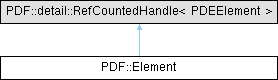
Represents an element of the content array. More...
#include <pdfsdk/cxx/element.h>
Public Member Functions | |
| Element | Copy () const |
| Creates a copy of the content array element. | |
| bool | Equals (const Element &that) const |
| Checks if two content array elements are equal. | |
| PDEElementType | GetElementType () const |
| Gets the type of a content array element. | |
| RectF | GetBBox () const |
| Gets the bounding box of a content array element that represents a text graphics object. | |
| Quad | GetQuad () const |
| Gets the quadrilateral that encloses a content array element. | |
| Clip | GetClip () const |
| Gets the clipping path associated with the graphics state of a content array element. | |
| void | SetClip (const Clip &clip) |
| Sets the clipping path associated with the graphics state of a content array element. | |
| GState | GetGState () const |
| Gets the graphics state of a content array element. | |
| void | SetGState (const GState &gstate) |
| Sets the graphics state of a content array element. | |
| Matrix | GetMatrix () const |
| Gets the current transformation matrix, held within the graphics state of a content array element. | |
| void | SetMatrix (const Matrix &matrix) |
| Sets the current transformation matrix, held within the graphics state of a content array element. | |
| bool | HitTest (const PointF &point) const |
| Checks whether the point is located within the content array element. | |
| PDAtom | GetContainerTag () const |
| Gets the tag (name object) of a content array element, that represents a marked-content sequence (a container). | |
| void | SetContainerTag (PDAtom tag) |
| Sets the tag (name object) of a content array element, that represents a marked-content sequence (a container). | |
| Object | GetContainerDict () const |
| Gets the dictionary (marked-content property list) associated with this container element. | |
| void | SetContainerDict (const Object &dict) |
| Sets the dictionary (marked-content property list) associated with this container element. | |
| Content | GetContainerContent () const |
| Gets the content array element that represents a marked-content sequence (container) within the content stream. | |
| OCMembership | GetContainerOCMembership () const |
| Gets the optional content membership dictionary of the container content array element. | |
| PDEPaintOp | GetPathPaintOp () const |
| Gets the path-painting operator of the content array element. See 8.5.3 Path-painting operators. | |
| void | SetPathPaintOp (PDEPaintOp paintOp) |
| Sets the path-painting operator of the content array element. See 8.5.3 Path-painting operators. | |
| size_t | GetPathNumSegments () const |
| Gets the number of segments that a path graphics object is made of. The element is of type kPDEElementPath. See 8.5.2 Path construction operators. | |
| PDEPathSegment | GetPathSegment (size_t index) const |
| Gets the path segment from a path graphics object at the specified index. | |
| void | PathAddSegment (const PDEPathSegment &segment) |
| Adds a path segment to the path graphics object. | |
| void | PathMoveTo (const PointF &to) |
| Moves the current path graphics object to the specified point. | |
| void | PathLineTo (const PointF &to) |
| Appends a line segment from the current point of the path graphics object to the specified point. | |
| void | PathCurveTo (const PointF &c0, const PointF &c1, const PointF &to) |
| Appends a cubic Bezier curve to the current point of the path. | |
| void | PathVCurveTo (const PointF &c0, const PointF &to) |
| Appends a cubic Bezier curve to the current point of the path. The current point is the first control point. | |
| void | PathYCurveTo (const PointF &c1, const PointF &to) |
| Appends a cubic Bezier curve to the current point of the path. | |
| void | PathRect (const RectF &rect) |
| Appends a rectangle segment to the current point of the path. | |
| void | PathClose () |
| Closes the current subpath at the current point of the path. | |
| void | PathRemoveSegment (size_t index) |
| Removes the path segment at the specified index. | |
| size_t | GetTextNumRuns () const |
| Gets the number of text runs inside the content array element. | |
| TextRun | GetTextRun (size_t index) const |
| Gets the text run at the specified index inside the content array element. | |
| TextRun | GetTextRunAtPoint (const PointF &pagePt) const |
| Gets the text run at the specified point on the page. | |
| void | TextInsertRun (size_t index, const TextRun &run) |
| Inserts a text run at the specified index inside the content array element. | |
| void | TextRemoveRun (size_t index) |
| Removes the text run at the specified index from inside the content array element. | |
| void | TextSplitRun (size_t itemIndex, size_t charIndex) |
| Splits the text run at the specified item and character index inside the content array element. | |
| bool | GetTextKnockout () const |
| Gets the knockout state of the text inside the content array element. | |
| void | SetTextKnockout (bool knockout) |
| Sets the knockout state of the text inside the content array element. | |
| XObject | GetXObject () const |
| Gets the XObject resource associated with the content array element. | |
| void | SetXObject (const XObject &xobject) |
| Adds an XObject resource to a content array element. | |
| Shading | GetShading () const |
| Gets the shading resource associated with the content array element. | |
| void | SetShading (const Shading &shading) |
| Sets the shading resource for the content array element. | |
| bool | IsImage () const |
| Checks if the content array element has an image resource associated with it. | |
| PDEImageAttrs | GetImageAttrs () const |
| Gets the image attributes of the content array element. | |
| Element (PDEElement handle, bool adopt=false) noexcept | |
| Element (const Element &rhs) noexcept | |
| Element & | operator= (const Element &rhs) noexcept |
| Element (Element &&rhs) noexcept | |
| Element & | operator= (Element &&rhs) noexcept |
Static Public Member Functions | |
| static Element | CreateContainer (PDAtom tag, const Object &dict) |
| Creates a content array element of type container that represents a marked-content sequence within the content stream by specifying a tag (name object) and an inline dictionary. | |
| static Element | CreatePath () |
| Creates a content array element that represents a path graphics object. | |
| static Element | CreateText () |
| Creates a content array element that represents a text graphics object. | |
| static Element | CreateXObject (const XObject &xobject) |
| Creates a content array element that represents a graphics object of the external object (XObject) type. | |
| static Element | CreateShading (const Shading &shading) |
| Creates a content array element that represents a shading graphics object. | |
| static Element | LayoutText (const Document &doc, const std::wstring &text, const RectF &box, const PDFontInfo &fontInfo, float fontSize, PDColorValue fontColor, PDETextAlign alignment) |
| Creates a content array element which is a text graphics object. | |
Detailed Description
Represents an element of the content array.
A page is represented by a /Page object. The contents on the page are described by the /Contents entry inside the page object. This is the content array, whose elements are content streams. The content array can contain one or any number of elements and each one is a content stream. If the /Contents entry is absent, this signifies an empty page, but you should not create an empty array. See 7.7.3.3 Page objects, Table 31 — Entries in a page object, Key - Contents A PDF content stream on the other hand is a static description of a sequence of graphics objects. There are 5 types of graphics objects - path, text, external, inline image, shading. There are also 2 additional types of elements that can be part of a content stream - kPDEElementPlace and kPDEElementContainer
- See also
- PDEElementType.
ISO 32000-2:2020 - 8.2 Graphics objects
Member Function Documentation
◆ Copy()
| Element PDF::Element::Copy | ( | ) | const |
Creates a copy of the content array element.
- Returns
- The copied content array element.
◆ CreateContainer()
Creates a content array element of type container that represents a marked-content sequence within the content stream by specifying a tag (name object) and an inline dictionary.
A marked-content sequence is used to associate graphical content with structure elements. The operators BMC/EMC and BDC/EMC mark the start/end of a sequence of object(s). A graphics application can use marked-content to identify a set of related objects as a group to be processed as a single unit. The created element will be of type kPDEElementContainer. ISO 32000-2:2020 - 14.6 Marked content
- Parameters
-
[in] tag The tag (name object) of the container element to create. [in] dict A reference to the marked-content property list (dictionary) to associate with this container element.
- Returns
- The created container element.
- See also
- kPDEElementContainer
◆ CreatePath()
|
static |
Creates a content array element that represents a path graphics object.
   The path graphics object will be an element of the content array.
   The returned Element will be of type kPDEElementPath.
- Returns
- The created path graphics object.
◆ CreateShading()
Creates a content array element that represents a shading graphics object.
- Parameters
-
[in] shading A reference to the shading graphics object to create the content array element.
- Returns
- The created content array element.
◆ CreateText()
|
static |
Creates a content array element that represents a text graphics object.
   The text graphics object will be an element of the content array.
   The returned Element will be of type kPDEElementText.
- Returns
- The created text element.
◆ CreateXObject()
Creates a content array element that represents a graphics object of the external object (XObject) type.
- Parameters
-
[in] xobject A reference to the external object to use to create the content array element.
- Returns
- The created content array element of type XObject.
◆ Equals()
| bool PDF::Element::Equals | ( | const Element & | that | ) | const |
Checks if two content array elements are equal.
- Parameters
-
[in] that The element to compare.
- Returns
- True if the elements are equal, false otherwise.
◆ GetBBox()
| RectF PDF::Element::GetBBox | ( | ) | const |
Gets the bounding box of a content array element that represents a text graphics object.
- Returns
- The bounding box of the content array text element.
◆ GetClip()
| Clip PDF::Element::GetClip | ( | ) | const |
Gets the clipping path associated with the graphics state of a content array element.
- Returns
- The clipping path associated with the graphics state of element.
- See also
- Clip
◆ GetContainerContent()
| Content PDF::Element::GetContainerContent | ( | ) | const |
Gets the content array element that represents a marked-content sequence (container) within the content stream.
- Returns
- The marked-content sequence (container)
- See also
- Content
◆ GetContainerDict()
| Object PDF::Element::GetContainerDict | ( | ) | const |
Gets the dictionary (marked-content property list) associated with this container element.
- Returns
- The dictionary (marked-content property list) associated with the container element.
◆ GetContainerOCMembership()
| OCMembership PDF::Element::GetContainerOCMembership | ( | ) | const |
Gets the optional content membership dictionary of the container content array element.
An Optional Content Membership Dictionary (/OCMD) defines visibility rules for content, based on one or more Optional Content Groups (OCGs).
- Returns
- The optional content membership dictionary of the container content array element.
- See also
- OCMembership
◆ GetContainerTag()
| PDAtom PDF::Element::GetContainerTag | ( | ) | const |
Gets the tag (name object) of a content array element, that represents a marked-content sequence (a container).
- Returns
- The tag (name object) of the container element.
◆ GetElementType()
| PDEElementType PDF::Element::GetElementType | ( | ) | const |
Gets the type of a content array element.
- Returns
- The type of the content array element.
- See also
- PDEElementType
◆ GetGState()
| GState PDF::Element::GetGState | ( | ) | const |
Gets the graphics state of a content array element.
- Returns
- The graphics state of the content array element.
- See also
- GState
◆ GetImageAttrs()
| PDEImageAttrs PDF::Element::GetImageAttrs | ( | ) | const |
Gets the image attributes of the content array element.
- Returns
- The image attributes of the content array element.
- See also
- PDEImageAttrs
◆ GetMatrix()
| Matrix PDF::Element::GetMatrix | ( | ) | const |
Gets the current transformation matrix, held within the graphics state of a content array element.
It is the part of the content stream that defines how graphics and coordinates are transformed.
- Returns
- The current transformation matrix of a content array element.
- See also
- Matrix
◆ GetPathNumSegments()
| size_t PDF::Element::GetPathNumSegments | ( | ) | const |
Gets the number of segments that a path graphics object is made of. The element is of type kPDEElementPath. See 8.5.2 Path construction operators.
- Returns
- The number of segments the path graphics object is made of.
◆ GetPathPaintOp()
| PDEPaintOp PDF::Element::GetPathPaintOp | ( | ) | const |
Gets the path-painting operator of the content array element. See 8.5.3 Path-painting operators.
- Returns
- The path-painting operator of the content array element.
- See also
- PDEPaintOp
◆ GetPathSegment()
| PDEPathSegment PDF::Element::GetPathSegment | ( | size_t | index | ) | const |
Gets the path segment from a path graphics object at the specified index.
   A path is a graphics object that is constructed and painted directly within the
   content stream using a sequence of operators. A path graphics object is made up of
   straight lines, rectangles and cubic Bézier curves. A path consists of consecutively
   drawn segments and ends with one or more path painting operators i.e. PDEPaintOp that
   define if the path is to be filled, stroked, used as a clipping boundary or a
   combination of these. See 8.5.2 Path construction operators
- Parameters
-
[in] index The index of the path segment.
- Returns
- The path segment at the specified index.
- See also
- PDEPathSegment
◆ GetQuad()
| Quad PDF::Element::GetQuad | ( | ) | const |
Gets the quadrilateral that encloses a content array element.
Quad is short for QuadPoints, which are 4 points that represent a quadrilateral (usually a rectangle). They describe the on the page associated with annotations. These include link, markup and redaction annotations. See 12.5.6.5 Link annotations, 12.5.6.10 Text markup annotations, 12.5.6.23 Redaction annotations
- Returns
- The quad associated with the element.
◆ GetShading()
| Shading PDF::Element::GetShading | ( | ) | const |
Gets the shading resource associated with the content array element.
- Returns
- The shading resource associated with the element.
- See also
- Shading
◆ GetTextKnockout()
| bool PDF::Element::GetTextKnockout | ( | ) | const |
Gets the knockout state of the text inside the content array element.
   Text knockout is one of the 9 text state parameters. It dictates the visual
   appearance of individual text glyphs. If set to false every glyph will be
   treated as as a separate elementary object. Is set to true, the entire text
   object is treated as one. If there are overlapping glyphs, the most recent
   glyphs knock out the preceding ones. It is set through the TK entry of the
   graphics state parameter dictionary.
   See 9.3.8 Text knockout, 9.3 Text state parameters and operators, Table 102
- Returns
- True if the text element has knockout, false otherwise.
◆ GetTextNumRuns()
| size_t PDF::Element::GetTextNumRuns | ( | ) | const |
Gets the number of text runs inside the content array element.
   A text run is a contiguous sequence of characters that share the same
   font, size and graphics state. They often appear as a single visual
   unit and are rendered together using one of the text-showing operators
   i.e. Tj, TJ, ', " See 9.4.3 Text-showing operators, Table 107 and
   9.4 Text objects
- Returns
- The number of text runs.
◆ GetTextRun()
| TextRun PDF::Element::GetTextRun | ( | size_t | index | ) | const |
Gets the text run at the specified index inside the content array element.
   A text run is a contiguous sequence of characters that share the same
   font, size and graphics state. They often appear as a single visual
   unit and are rendered together using one of the text-showing operators
   i.e. Tj, TJ, ', " See 9.4.3 Text-showing operators, Table 107 and
   9.4 Text objects
- Parameters
-
[in] index The index of the text run.
- Returns
- The text run at the specified index.
- See also
- TextRun
◆ GetTextRunAtPoint()
Gets the text run at the specified point on the page.
A text run is a contiguous sequence of characters that share the same font, size and graphics state. They often appear as a single visual unit and are rendered together using one of the text-showing operators i.e. Tj, TJ, ', " See 9.4.3 Text-showing operators, Table 107 and 9.4 Text objects
- Parameters
-
[in] pagePt A reference to the point on the page.
- See also
- PointF
- Returns
- The text run at the specified point.
- See also
- TextRun
◆ GetXObject()
| XObject PDF::Element::GetXObject | ( | ) | const |
Gets the XObject resource associated with the content array element.
   If the Element object that this function is called on, is of type
   kPDEElementXObject, the external object resource will be retrieved.
- Returns
- The XObject resource contained within the content array element.
- See also
- XObject
◆ HitTest()
| bool PDF::Element::HitTest | ( | const PointF & | point | ) | const |
Checks whether the point is located within the content array element.
   This function works on one of the 5 types of graphics objects - path,
   text, external object (XObject), inline image or shading.
- Parameters
-
[in] point A reference to the point to test.
- Returns
- True if the point is within the element, false otherwise.
◆ IsImage()
| bool PDF::Element::IsImage | ( | ) | const |
Checks if the content array element has an image resource associated with it.
- Returns
- True if the element has an image, false otherwise.
◆ LayoutText()
|
static |
Creates a content array element which is a text graphics object.
- Parameters
-
[in] doc A reference to the document containing the text. [in] text A reference to the text in wide character string format. [in] box A reference to the bounding box of the text. [in] fontInfo A reference to the font information. [in] fontSize The font size. [in] fontColor The font color. [in] alignment The text alignment.
- Returns
- The content array element which is a text graphics object.
◆ PathAddSegment()
| void PDF::Element::PathAddSegment | ( | const PDEPathSegment & | segment | ) |
Adds a path segment to the path graphics object.
   The path construction operators are one of the 6 graphics operators.
   They begin a new path, add line segments and curves to it, and close it.
   This function adds segments to an already started path.
- Parameters
-
[in] segment A reference to the path segment to add.
- See also
- PDEPathSegment
◆ PathClose()
| void PDF::Element::PathClose | ( | ) |
Closes the current subpath at the current point of the path.
   This is achieved by appending a straight line from the current
   point back to the starting point of the current subpath. Use this function
   to close shapes before painting (e.g filling or stroking).
   See 8.5.2 Path construction operators,
   Table 58 — Path construction operators, Operator h
◆ PathCurveTo()
Appends a cubic Bezier curve to the current point of the path.
   See 8.5.2 Path construction operators,
   Table 58 — Path construction operators, Operator c
- Parameters
-
[in] c0 A reference to the first control point. [in] c1 A reference to the second control point. [in] to A reference to the end point of the curve.
◆ PathLineTo()
| void PDF::Element::PathLineTo | ( | const PointF & | to | ) |
Appends a line segment from the current point of the path graphics object to the specified point.
See 8.5.2 Path construction operators, Table 58 — Path construction operators, Operator l
- Parameters
-
[in] to A reference to the point to add the line to.
◆ PathMoveTo()
| void PDF::Element::PathMoveTo | ( | const PointF & | to | ) |
Moves the current path graphics object to the specified point.
   See 8.5.2 Path construction operators,
   Table 58 — Path construction operators, Operator m
- Parameters
-
[in] to A reference to the point to move the current path graphics object to.
◆ PathRect()
| void PDF::Element::PathRect | ( | const RectF & | rect | ) |
Appends a rectangle segment to the current point of the path.
   See 8.5.2 Path construction operators,
   Table 58 — Path construction operators, Operator re
- Parameters
-
[in] rect A reference to the rectangle to add.
- See also
- RectF
◆ PathRemoveSegment()
| void PDF::Element::PathRemoveSegment | ( | size_t | index | ) |
Removes the path segment at the specified index.
- Parameters
-
[in] index The index of the path segment to remove.
◆ PathVCurveTo()
Appends a cubic Bezier curve to the current point of the path. The current point is the first control point.
See 8.5.2 Path construction operators, Table 58 — Path construction operators, Operator v
- Parameters
-
[in] c0 A reference to the second control point. [in] to A reference to the end point of the curve.
◆ PathYCurveTo()
Appends a cubic Bezier curve to the current point of the path.
   See 8.5.2 Path construction operators,
   Table 58 — Path construction operators, Operator y
- Parameters
-
[in] c1 A reference to the first control point. [in] to A reference to the end point of the curve (second control point).
◆ SetClip()
| void PDF::Element::SetClip | ( | const Clip & | clip | ) |
Sets the clipping path associated with the graphics state of a content array element.
- Parameters
-
[in] clip A reference to the clipping path to associate with the graphics state of this content array element.
◆ SetContainerDict()
| void PDF::Element::SetContainerDict | ( | const Object & | dict | ) |
Sets the dictionary (marked-content property list) associated with this container element.
- Parameters
-
[in] dict A reference to the dictionary (marked-content property list) to associate with the container element.
◆ SetContainerTag()
| void PDF::Element::SetContainerTag | ( | PDAtom | tag | ) |
Sets the tag (name object) of a content array element, that represents a marked-content sequence (a container).
- Parameters
-
[in] tag The tag (name object) of the container element.
◆ SetGState()
| void PDF::Element::SetGState | ( | const GState & | gstate | ) |
Sets the graphics state of a content array element.
- Parameters
-
[in] gstate A reference to the graphics state of a content array element to set.
- See also
- GState
◆ SetMatrix()
| void PDF::Element::SetMatrix | ( | const Matrix & | matrix | ) |
Sets the current transformation matrix, held within the graphics state of a content array element.
It is the part of the content stream that defines how graphics and coordinates are transformed.
- Parameters
-
[in] matrix A reference to the current transformation matrix to set.
- See also
- Matrix
◆ SetPathPaintOp()
| void PDF::Element::SetPathPaintOp | ( | PDEPaintOp | paintOp | ) |
Sets the path-painting operator of the content array element. See 8.5.3 Path-painting operators.
- Parameters
-
[in] paintOp The path-painting operator to set.
- See also
- PDEPaintOp
◆ SetShading()
| void PDF::Element::SetShading | ( | const Shading & | shading | ) |
Sets the shading resource for the content array element.
- Parameters
-
[in] shading A reference to the shading resource to set.
◆ SetTextKnockout()
| void PDF::Element::SetTextKnockout | ( | bool | knockout | ) |
Sets the knockout state of the text inside the content array element.
   Text knockout is one of the 9 text state parameters. It dictates the visual
   appearance of individual text glyphs. If set to false every glyph will be
   treated as as a separate elementary object.
   See 9.3.8 Text knockout, 9.3 Text state parameters and operators, Table 102
- Parameters
-
[in] knockout The knockout state flag to set. If set to true, the entire text object is treated as one. If there are overlapping glyphs, the most recent glyphs knock out the preceding ones. If set to false every glyph will be treated as as a separate elementary object.
◆ SetXObject()
| void PDF::Element::SetXObject | ( | const XObject & | xobject | ) |
Adds an XObject resource to a content array element.
- Parameters
-
[in] xobject A reference to the XObject to add.
- See also
- XObject
◆ TextInsertRun()
| void PDF::Element::TextInsertRun | ( | size_t | index, |
| const TextRun & | run ) |
Inserts a text run at the specified index inside the content array element.
A text run is a contiguous sequence of characters that share the same font, size and graphics state. They often appear as a single visual unit and are rendered together using one of the text-showing operators i.e. Tj, TJ, ', " See 9.4.3 Text-showing operators, Table 107 and 9.4 Text objects
- Parameters
-
[in] index The index to insert the text run. [in] run A reference to the text run to insert.
- See also
- TextRun
◆ TextRemoveRun()
| void PDF::Element::TextRemoveRun | ( | size_t | index | ) |
Removes the text run at the specified index from inside the content array element.
A text run is a contiguous sequence of characters that share the same font, size and graphics state. They often appear as a single visual unit and are rendered together using one of the text-showing operators i.e. Tj, TJ, ', " See 9.4.3 Text-showing operators, Table 107 and 9.4 Text objects
- Parameters
-
[in] index The index of the text run to remove from inside the content array element.
◆ TextSplitRun()
| void PDF::Element::TextSplitRun | ( | size_t | itemIndex, |
| size_t | charIndex ) |
Splits the text run at the specified item and character index inside the content array element.
A text run is a contiguous sequence of characters that share the same font, size and graphics state. They often appear as a single visual unit and are rendered together using one of the text-showing operators i.e. Tj, TJ, ', " See 9.4.3 Text-showing operators, Table 107 and 9.4 Text objects. Inside a content array element, which is a content stream, there can be multiple text runs, numbered sequentially using itemIndex.
- Parameters
-
[in] itemIndex The index of the text run inside the content array element. [in] charIndex The index of the character within the text run to create the split at.
The documentation for this class was generated from the following file:
- include/pdfsdk/cxx/element.h